Day 2 Wrap-up: Putting It All Together
Congratulations on making it through Day 2! We covered a massive amount of ground today, transitioning from basic command-line navigation to true computational automation.
You don't need to memorize everything!
If your head is spinning a bit, that is completely normal. The goal of this advanced session is not rote memorization. It is to show you what is possible. Now, when you face a massive dataset in your own research, you will know exactly which tools to reach for.
The Big Picture
Think about the workflow journey we just built:
- Wrangling Data: You learned how to locate, link, and batch-process thousands of files at once without clicking and dragging (
find,xargs,parallel,ln). - Slicing Text: You can now extract, replace, and dynamically filter data directly from massive biological datasets without ever opening them in a text editor (
grep,sed,awk). - Automation: You tied those text-processing commands together into reusable pipelines that do the heavy lifting for you (BASH Shell Scripting).
- Scaling Up: Finally, you learned how to securely move that data and run your automated scripts on powerful remote servers and HPC clusters, ensuring your jobs keep running even if your laptop dies (
ssh,rsync,screen, SLURM).
You have officially unlocked the core skills required for modern research computing. Take these scripts, adapt them to your own data, and always remember to check the man pages or the cheat sheets below when you get stuck!
Try this now with the sed command.
SED(1)                                                                                      User Commands

NAME
       sed - stream editor for filtering and transforming text

SYNOPSIS
       sed [OPTION]... {script-only-if-no-other-script} [input-file]...

DESCRIPTION
       Sed  is  a  stream editor.  A stream editor is used to perform basic text transformations on an input stream (a file or input from a pipeline).  While in some ways similar to an editor which
       permits scripted edits (such as ed), sed works by making only one pass over the input(s), and is consequently more efficient.  But it is sed's ability to filter text in a pipeline which par‐
       ticularly distinguishes it from other types of editors.

       -n, --quiet, --silent

              suppress automatic printing of pattern space

       -e script, --expression=script

              add the script to the commands to be executed
This will conclude our workshop.
Day 2 Readiness Checklist
Before you leave, verify you can do each of these tasks:
- Find all FASTQ files recursively in a directory tree.
- Run a one-line command across many files with
parallel. - Extract and count matching records with
greporawk. - Run a shell script executable from your
$PATH. - Explain when to use
nohupversus a scheduler submission.
Command Reference (Day 2)
find . -type f -iname "*.fastq.gz"parallel 'command {}'grep -e "pattern" filesed -i 's/old/new/g' fileawk 'pattern { action }' filechmod +x script.shssh user@hostrsync -av source/ dest/sbatch job.sh
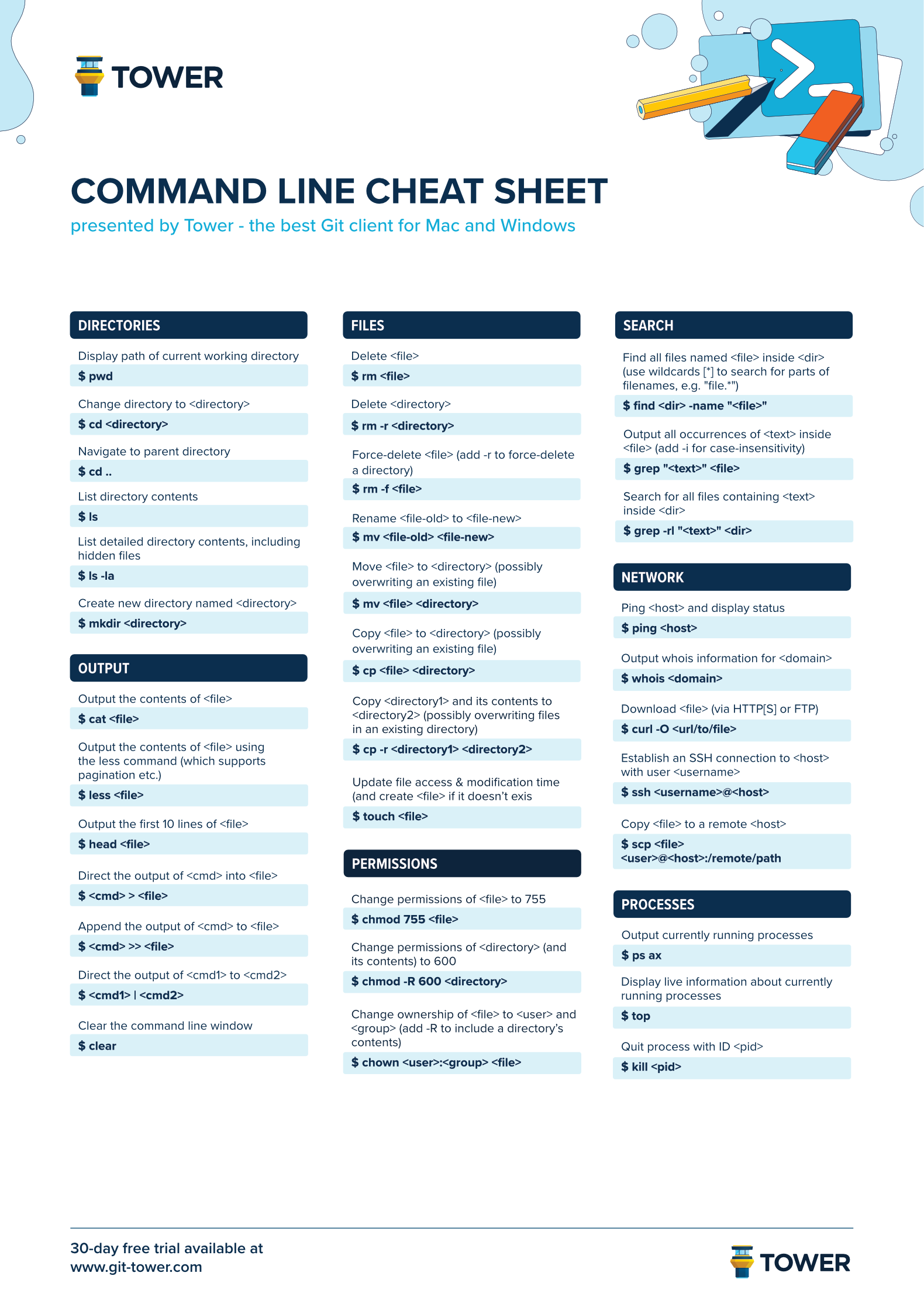
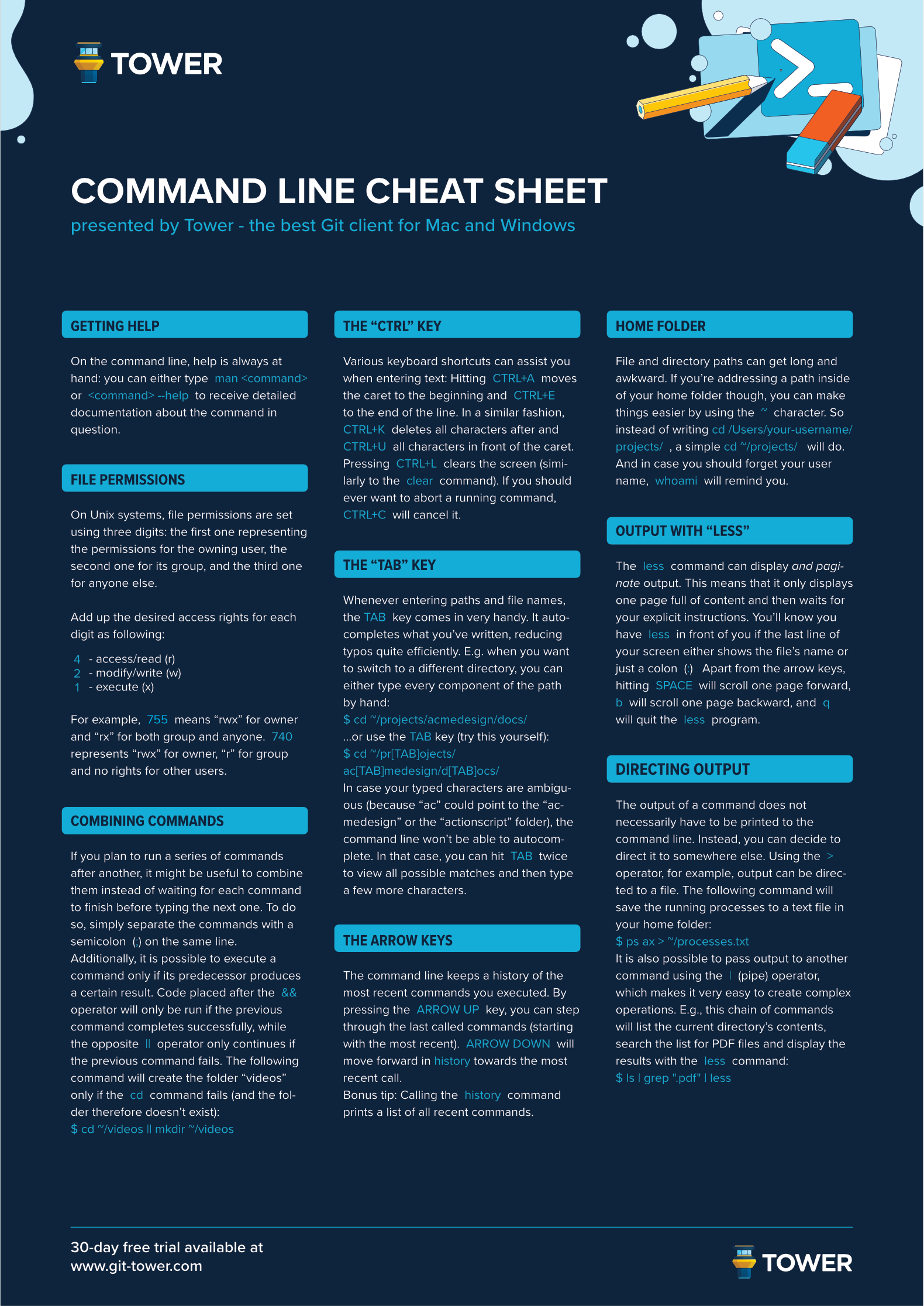
Cheat Sheets
Below is a BASH commands cheat sheet.