Day 1 Wrap-up
Great work. You now have the core command-line foundation needed for Day 2 automation.
1. Day 1 Review
Today you learned how to:
- Navigate the filesystem with absolute and relative paths (
pwd,cd,ls) - Create, move, copy, and remove files/folders (
mkdir,touch,mv,cp,rm) - Edit and inspect text files (
nano,cat,less) - Search and summarize text content (
grep,wc) - Work with compressed files and downloaded datasets (
wget,zcat,zless,gunzip) - Understand key environment variables (
$HOME,$USER,$PATH)
2. Day 1 Readiness Check
Before starting Day 2, make sure you can complete each task below without looking up every command:
- Create a folder named
practice, enter it, and print the full path. - Create a file with two lines of text, then copy it to a second file.
- Count the number of lines in the copied file.
- Search one keyword in the file and print matching lines.
- Download a
.gzfile and inspect it without fully uncompressing it.
If any item above feels unclear, review the matching Day 1 lesson section before moving on.
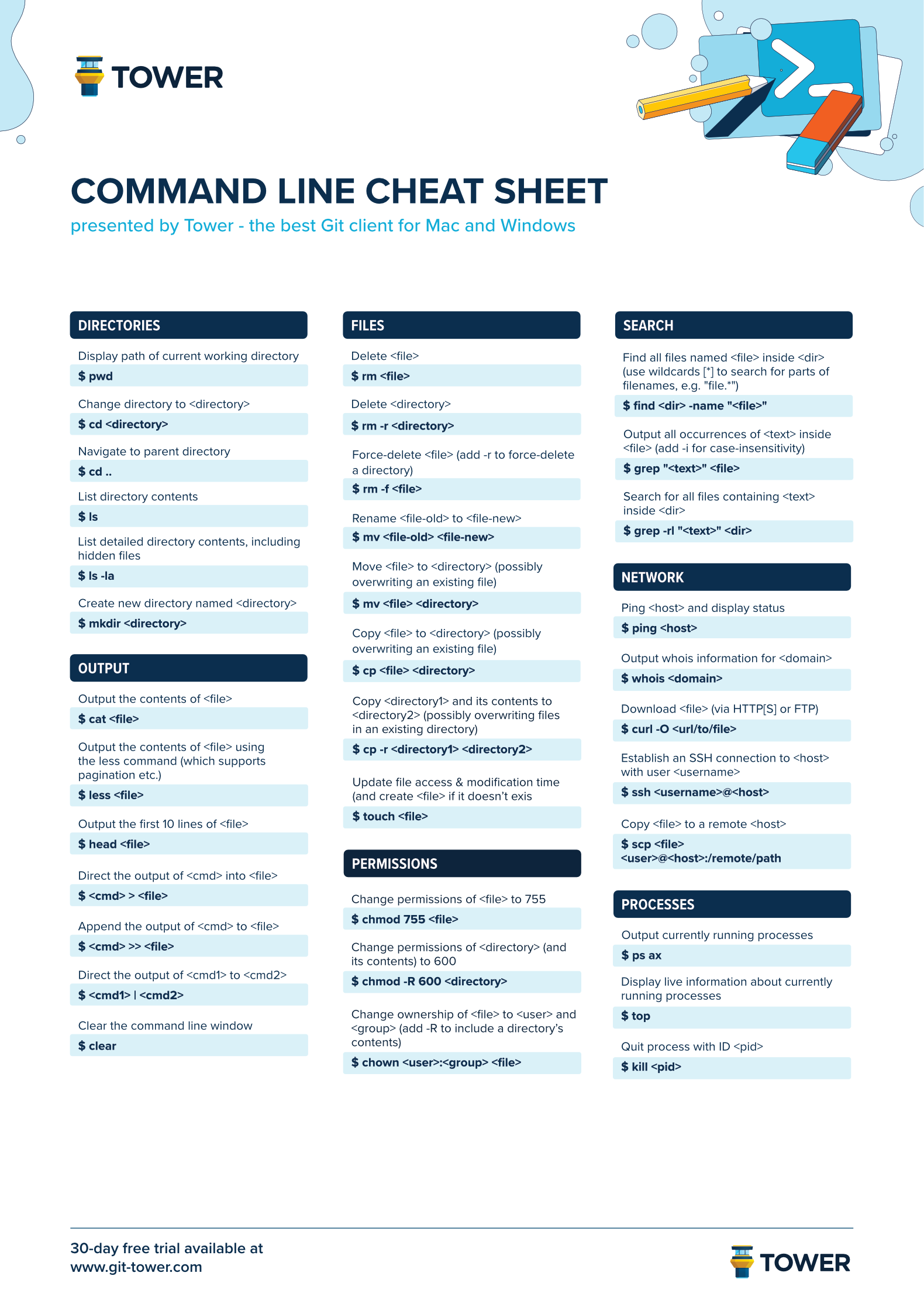
3. Command Reference (Day 1)
| Command | Purpose | Example |
|---|---|---|
pwd |
Print current directory | pwd |
ls -alh |
List files with details | ls -alh |
cd |
Change directory | cd training |
mkdir |
Create directory | mkdir data |
touch |
Create empty file | touch test.txt |
mv |
Move/rename file | mv test.txt data.txt |
cp |
Copy file | cp data.txt second.txt |
rm -rf |
Remove file/directory | rm -rf extra/ |
cat |
Print file contents | cat data.txt |
grep |
Search text patterns | grep "Unix" third.txt |
wc -l |
Count lines | wc -l data.txt |
wget |
Download file | wget URL |
zless |
View compressed file | zless file.gz |
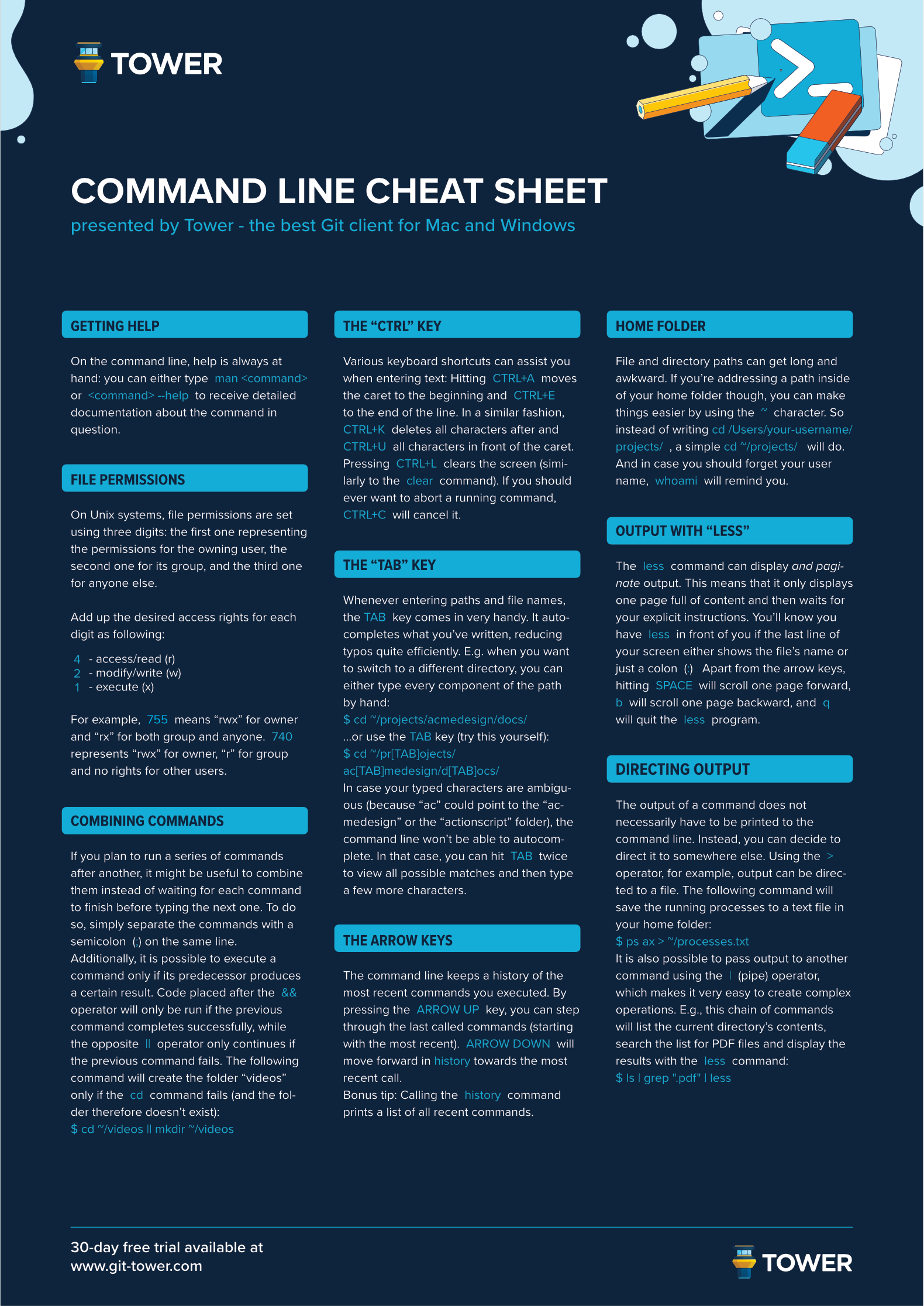
If you forget a command, use:
Example:
4. Looking Ahead to Day 2
Day 2 focuses on scaling up these exact skills:
- Processing many files at once (
find,xargs,parallel) - Extracting structured data from large files (
grep,sed,awk) - Automating repeated tasks with scripts
- Running larger workloads on remote systems and schedulers
The command fundamentals from Day 1 are the building blocks for reproducible pipelines.
Day 1 Cheat Sheet